How it works
Setup is five steps, not a project.
No data migration, no implementation team, no six-week rollout. Connect your store and mailbox, teach the AI your policies, decide how much it is allowed to do. About 18 minutes, end to end.
- 01
Connect Shopify
2 minInstall the app from your Shopify admin. Two clicks, standard OAuth. Suvenna can now look up the verified customer's real orders, and every live-action toggle ships off until you decide to turn it on.
- 02
Connect your mailbox
3 minSign in with Gmail or Outlook, or point a simple forwarding address at Suvenna. Your existing support address stays exactly where it is, and conversations start flowing into the shared inbox immediately.
- 03
Paste your policies
10 minShipping, returns, refunds. Paste them in as they are. The AI answers from your policies verbatim, and when a question falls outside them it abstains and escalates to your team instead of guessing. This is the longest step, and it is mostly copy and paste.
- 04
Choose autonomy
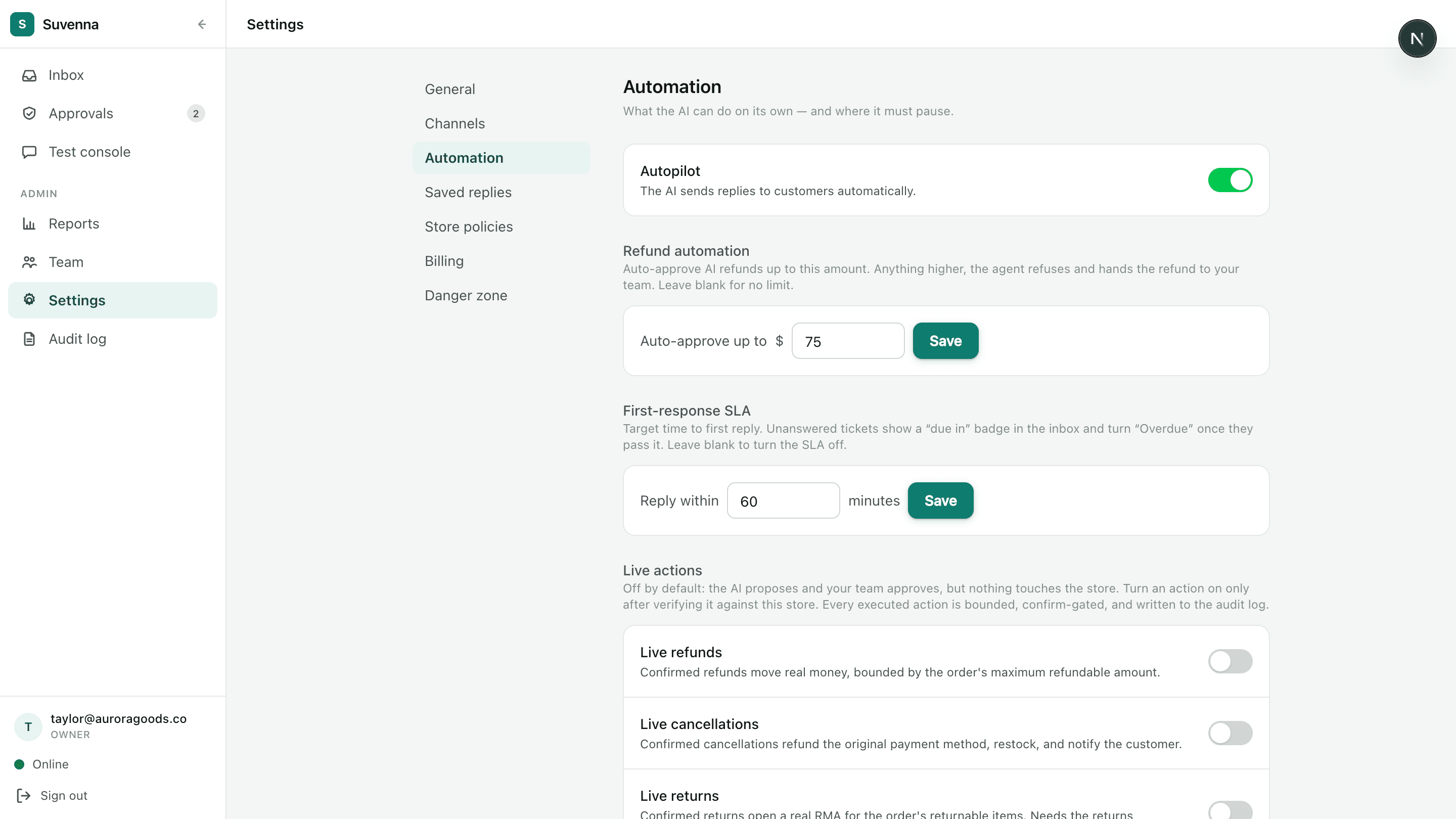
1 minStart in approve-mode: the AI drafts, your team approves every reply. QA each one with a thumbs and a note. When the scores earn it, flip on Autopilot. Money actions always run inside your rules: confirm-gated with the customer, bounded by the order's actual refundable amount, and queued for one-click human approval when risky.
- 05
Invite your team
2 minAdd teammates as owners, admins, or agents. Routing sends new conversations to the least busy agent, and SLA targets put due and overdue badges on every conversation so first responses never quietly slip.
The whole setup
From zero to resolving in under 20 minutes.
Start in approve-mode, grade every reply, and hand over more autonomy only when Suvenna earns it. The guardrails on money actions stay on either way.
Get priority access
Suvenna onboards in limited waves. Join the list and you're first in line for the next one, with founding-member pricing locked in.