Automation
Autonomy on your terms.
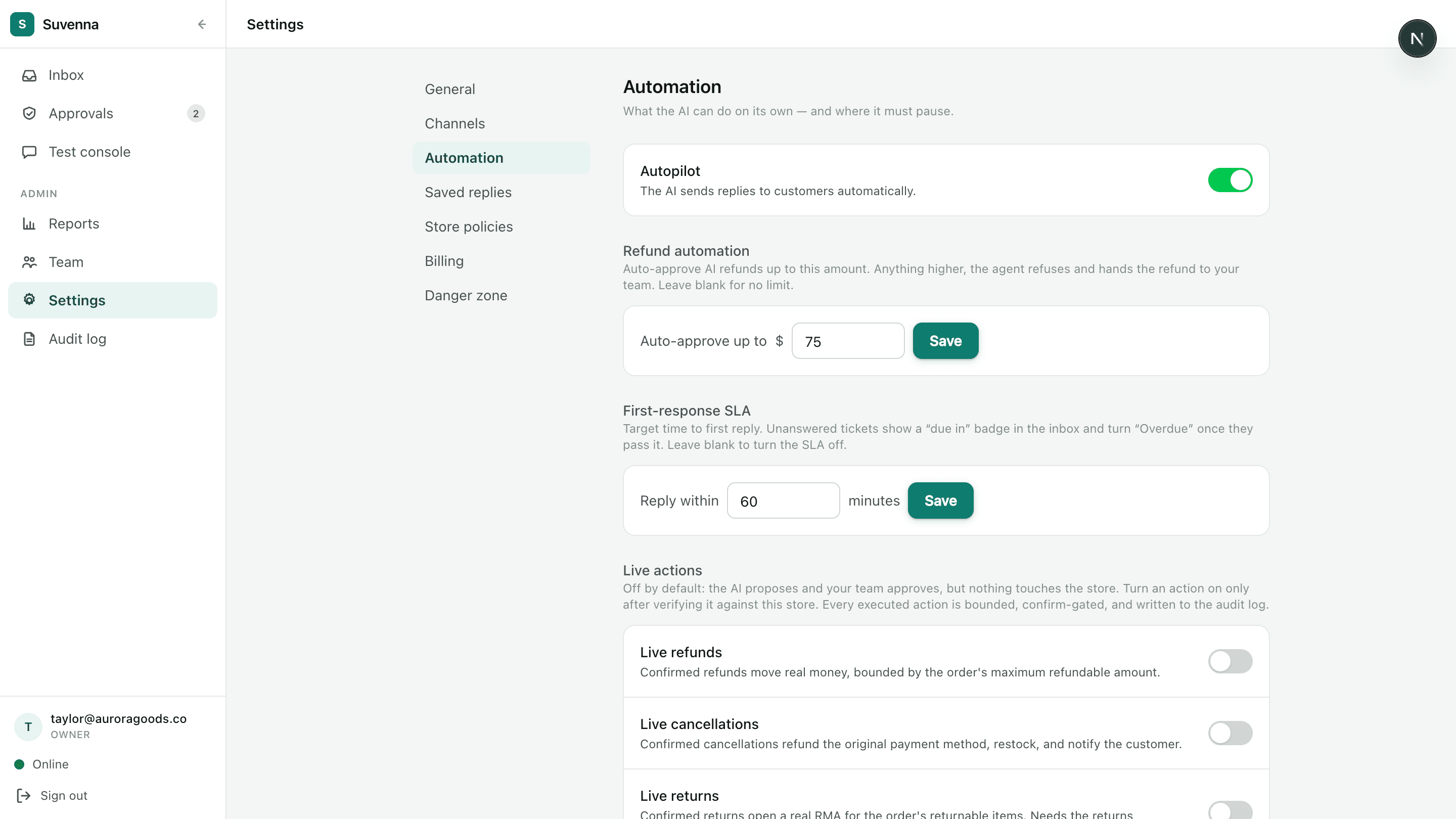
Suvenna gives you a dial, not a switch. Choose whether the AI drafts or sends, set the refund amount it can approve on its own, and keep live money movement off until it earns your trust. Every setting is per store, and every action is logged.
Two modes
Drafts first, sends when earned
Every store starts with a choice: does the AI send, or does it draft? You can change the answer per store, at any time.
Approve-mode
Autopilot
A dial, not a switch
The rollout we recommend
Trust is built in steps, and the settings are designed to follow them. Here is the journey most stores should take.
Week 1
Start in approve-mode
Every AI reply lands as a draft. Your team approves, edits, or rejects each one. The AI does the writing; humans keep the send button.
Then
Review the QA scores
Grade replies with per-reply QA as you approve them. The reports dashboard shows exactly where the AI is strong and where it still escalates.
When ready
Enable Autopilot
Flip AI sends on for the conversation types it has earned. Anything it isn't sure about still escalates to your team with full context.
Next
Set your refund ceiling
Choose the amount the AI can auto-approve under. Anything above it queues for one-click human approval. Start low; raise it as trust grows.
Finally
Enable live actions
Per-store live-action toggles ship off. Turn on refunds, cancellations, and returns when you're ready. Every execution stays confirm-gated and audit-logged.
Turn the dial back down whenever you want. Every step is reversible, per store, in one setting.
The refund ceiling
One number decides what the AI can approve alone.
Set a ceiling, say $20. Refunds under it can be auto-approved once the customer explicitly confirms. Anything above it queues for one-click human approval. And at execution time, every refund is bounded by the order's actual refundable amount, so the AI cannot refund more than the order allows, whatever the conversation said.
- The customer explicitly confirms before any money moves
- Refunds above the ceiling queue for human approval
- Amounts are bounded by the order's real refundable balance at execution
- Every action lands in the append-only audit log
Automation rules
Route, tag, and escalate on your conditions
Rules run on every incoming conversation, before the AI ever replies. Use them to decide who, or what, handles each customer.
Channel
Sentiment
Business hours
VIP lifetime spend
Order age
Escalation
The support layer
Everything the automation feeds into
Automation is only useful if the human side keeps up. These are the pieces that keep the desk moving.
Approval queue
Least-busy routing
Spam suppression
Get priority access
Suvenna onboards in limited waves. Join the list and you're first in line for the next one, with founding-member pricing locked in.