Shopify actions
Real actions. Hard guardrails.
Most support AI can only talk about a refund. Suvenna executes it against Shopify, through a guardrail stack that makes the unsafe path impossible, not just discouraged.
What it can do
The four actions that close tickets
Order status, refunds, cancellations, and returns cover the bulk of what a Shopify support queue actually asks for. Suvenna handles each one end to end.
Order status
Refunds
Cancellations
Returns
The guardrail stack
Four layers between a request and your money
Every money action passes through all four. The stack is enforced in the engine itself, not in a setting someone can flip off.
Layer 1
The customer confirms
Before anything moves, the customer explicitly confirms the exact action and amount in plain language. “Refund $42.50 to your original payment method, correct?” No confirmation, no action.
Layer 2
Your rules decide: auto or approve
You set the policy. A refund under your auto-approval ceiling can proceed on its own; anything above it, or anything your automation rules flag, is held for a human. The AI never decides its own permissions.
Layer 3
One-click human approval
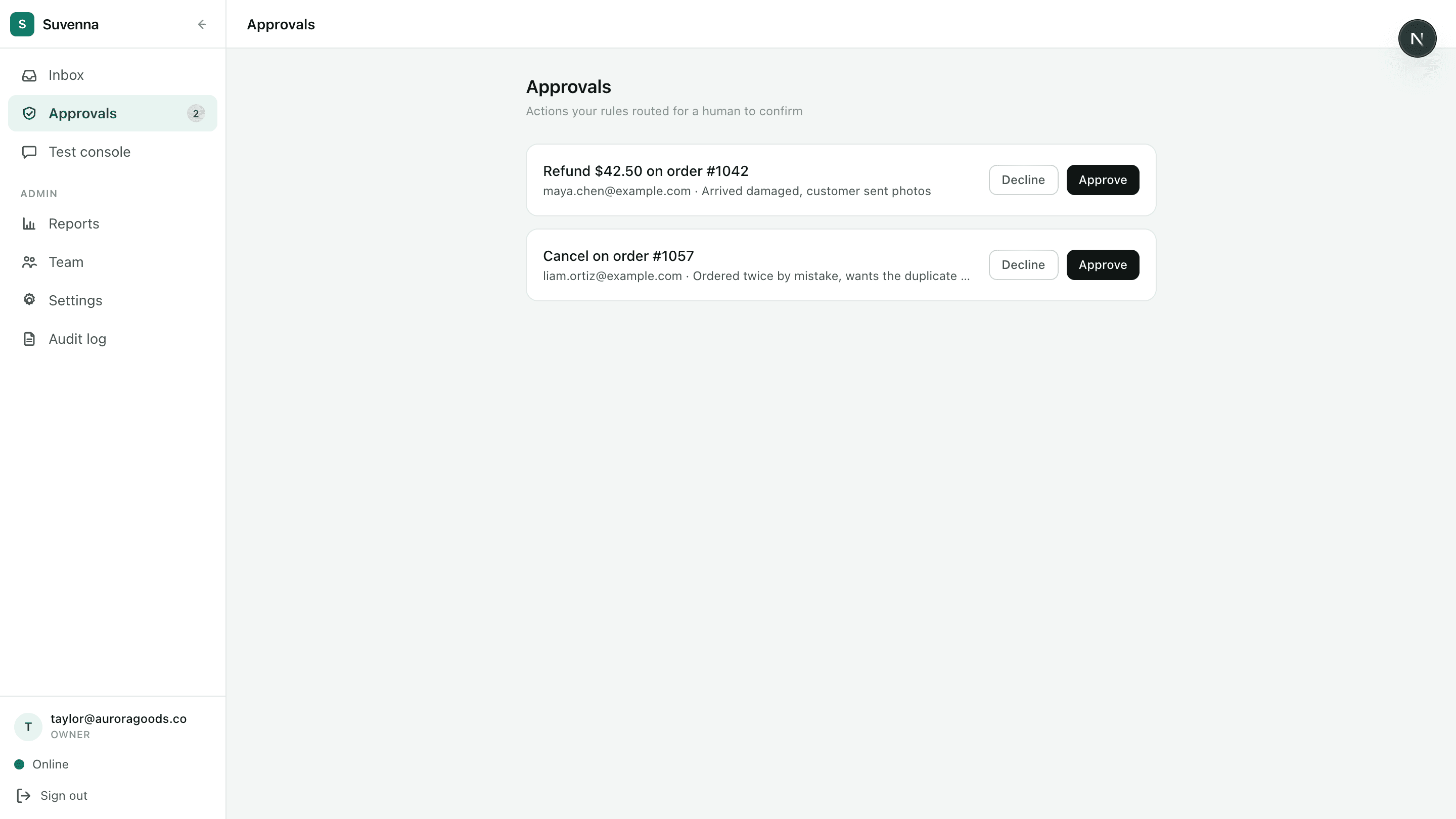
Held actions land in the approval queue with the order, the amount, and the full conversation. Your team approves or rejects in one click. Nothing risky executes without a person choosing to let it.
Layer 4
Execution bounds and the audit log
At execution time the engine re-checks the bound against Shopify: a refund can never exceed the order's refundable amount, whatever was said earlier in the thread. Every action, approved or rejected, is written to an append-only audit log.
The approval queue
Approve with the whole picture
Each pending action shows the order, the amount, and the conversation that led to it. One click executes it against Shopify and writes the audit entry.
Off by default
Live actions ship off for every store.
Autonomy is opt-in, per store. Until you flip a toggle, Suvenna drafts and proposes but never touches an order. Turn on exactly what you trust, when the QA scores earn it.
Questions
Guardrails, in detail
Can the AI refund more than the order is worth?
What stops a customer from asking about someone else's order?
Do I have to let the AI act on its own?
Get priority access
Suvenna onboards in limited waves. Join the list and you're first in line for the next one, with founding-member pricing locked in.