One inbox your whole team can trust.
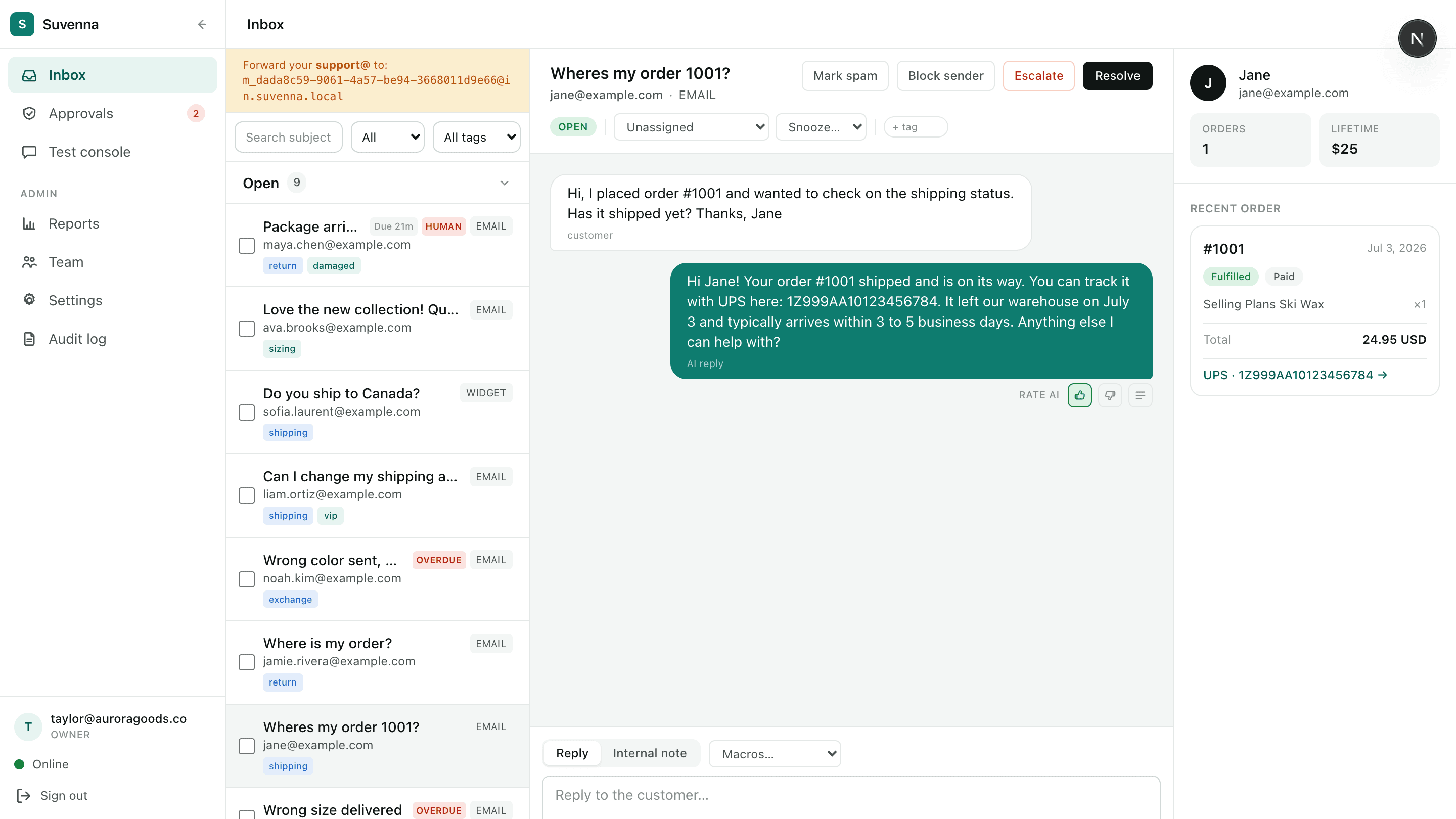
Every channel lands in one queue with the customer's real Shopify order beside it. Saved views keep triage fast, SLA timers keep nothing slipping, and collision detection keeps two agents from answering the same ticket.
Triage
Triage at scale, not one ticket at a time
Views that match how you work
System views cover the basics: unassigned, mine, overdue, snoozed. Then anyone on the team can save their own, a filter for VIP orders, a channel, a tag, whatever the day needs. Select fifty conversations and move them in one action instead of fifty.
- System views plus user-saved views your team defines
- Bulk actions: assign, tag, close, or snooze in one pass
- Tags to organize by topic, product line, or urgency
- Snooze a thread and it returns to the queue when it's due
- Spam filtering and a sender blocklist keep the queue clean
Response times
Never miss an SLA
- First-response timers on every conversation
- Due and overdue badges, visible at a glance in the list
- Least-busy assignment spreads load across whoever is online
- Collision detection shows who's viewing and typing, so no double replies
- Undo send gives you a window to pull a reply back
The clock is on every thread
Every conversation carries a first-response timer with a due badge that turns overdue when the window passes. Sort a view by what's closest to breach and work the list top to bottom. Routing sends new conversations to the least busy agent who's online, so the queue drains evenly instead of piling on one person.
Context
Context without tab-switching
The whole customer, one pane
The customer history panel sits beside every thread: past conversations, order history, and lifetime spend, pulled from Shopify and bound to the verified customer's email. Agents answer from what's actually true, without opening Shopify admin in another tab.
- Customer history panel with past conversations and orders
- Order lookups bound to the verified customer's email
- Internal notes for the team, invisible to the customer
- Email attachments, inbound and outbound
- Every conversation, note, and action lands in the audit log
Get priority access
Suvenna onboards in limited waves. Join the list and you're first in line for the next one, with founding-member pricing locked in.